Orqivo
Delta Session
Delta Session
Couldn't load pickup availability
Self-paced learning overview
- 📥 Digital file available after purchase
- 🗂️ Long-term availability
- 🔒 Secure checkout
- 🗓️ Content updated in 2026
1. Problem Statement
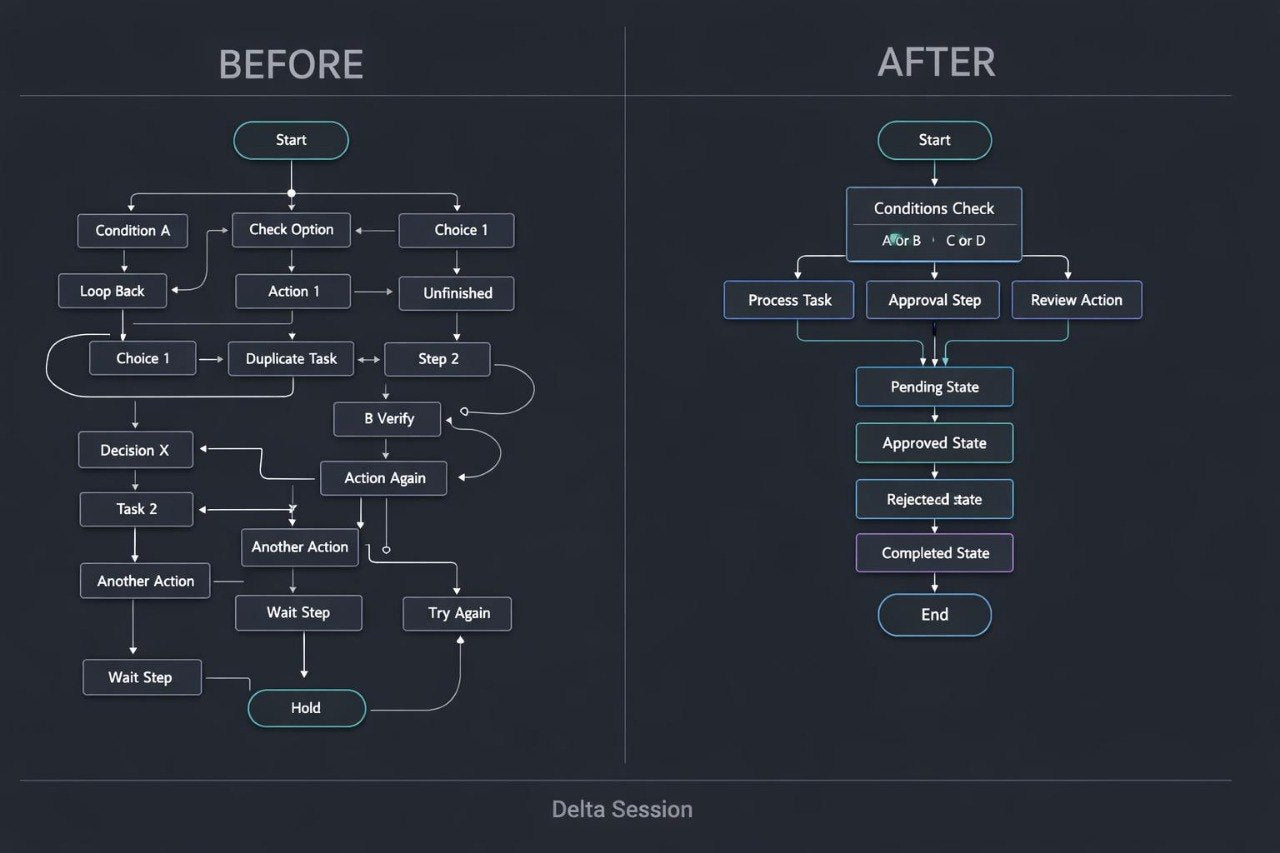
Struggling to manage a workflow where every decision creates another scenario branch? You are not alone: as the number of conditions grows, a diagram can become crowded and difficult to review. Separate routes may duplicate actions, use different names for the same information, or end without a defined outcome. Because of this, changing one rule may require updates across several connected stages. Delta Session helps learners create one shared structure for a more detailed process while preserving the logical links between its branches.
2. Solution
This course will teach you how to build branched scenarios using shared organization rules. You will examine how to group conditions, reuse common actions, and separate central routes from supporting ones. The materials explain how to define the workflow state after each important review point. You will also learn how to identify branches that have no closing action, conflict with another route, or create unnecessary repetition. The final activity involves preparing a detailed process map with several routes, control states, and clear supporting documentation.
3. What’s Inside
Module 1: Workflow Boundaries and Scope
Define where the scenario begins, which events belong within its boundaries, and which outcomes represent closing states.
Module 2: Naming and Information Rules
Create consistent naming rules for stages, conditions, variables, and outcomes so that the workflow remains readable.
Module 3: Grouping Logical Conditions
Learn how to combine related checks and separate conditions that perform different functions.
Module 4: Shared Actions Across Routes
Identify repeated operations in different branches and move them into shared workflow sections where appropriate.
Module 5: Workflow States
Define intermediate states that indicate what has been completed, which information has been received, and what should happen next.
Module 6: Conflicting Rules
Examine cases where two conditions may apply at the same time and establish a clear evaluation order.
Module 7: Open and Circular Routes
Locate branches without a closing action, unwanted loops, and return routes that do not contain a defined stopping condition.
Module 8: Delta Final Diagram
Create a branched scenario containing a central route, supporting branches, control states, and explanations for major decisions.
4. Who Is This For?
✅ Suitable if you:
- have already created multi-stage workflow maps;
- want to organize scenarios containing many conditions;
- examine information movement across several routes;
- want to reduce duplicated actions in workflow diagrams;
- are prepared to work with documentation and control states.
❌ Not for you if you:
- have not yet created basic automation diagrams;
- are looking only for a general introduction;
- do not intend to complete applied activities;
- need a ready-made setup for a particular organization.
5. What You’ll Learn
- Create a process containing three or more logical routes.
- Document at least ten connected stages.
- Define incoming and outgoing information for each central branch.
- Combine recurring actions into shared workflow blocks.
- Create at least four control states.
- Establish an evaluation order for conflicting conditions.
- Identify open routes and unwanted loops.
- Prepare a structured written explanation for the final process map.
6. Refund Terms
Delta Session includes a 30-day period for submitting a refund request. Requests are reviewed according to the terms published on the Orqivo website, including the purchase date, the amount of completed material, and other stated conditions.
7. Certificate
After completing the required modules and submitting the final diagram, learners may receive an Orqivo certificate. It records the Delta Session title and completion of the assigned learning program.
1. What experience level are the courses designed for?
1. What experience level are the courses designed for?
The materials are structured to help learners study AI Workflow Automation in a logical sequence. Each tier has its own scope, topics, and level of detail, allowing learners to select a format that matches their current knowledge and learning goals.
2. How are the course materials presented?
2. How are the course materials presented?
Courses may include structured lessons, topic-based modules, written explanations, workflow examples, practice activities, and resources for independent study. The specific contents are listed in the description of each tier.
3. Do I need to install additional tools?
3. Do I need to install additional tools?
The courses focus on process logic, automation planning, and workflow structure. When an activity requires an additional tool, the relevant information will be provided within the course materials.
4. Is a certificate included?
4. Is a certificate included?
A certificate of completion may be provided after the required modules and assigned activities have been completed. It records completion of an Orqivo learning program but does not represent a professional license or government-issued qualification.
Share